

Your account at a store - balance and points
Your account at a store shows what that store knows about you as a customer: your customer number, your balance due, your reward points and a summary of your last 12 months of purchases. Every store you join keeps its own separate account, so each one has its own balance and points. Here is where to find it and how to read it.
Open your account at a store
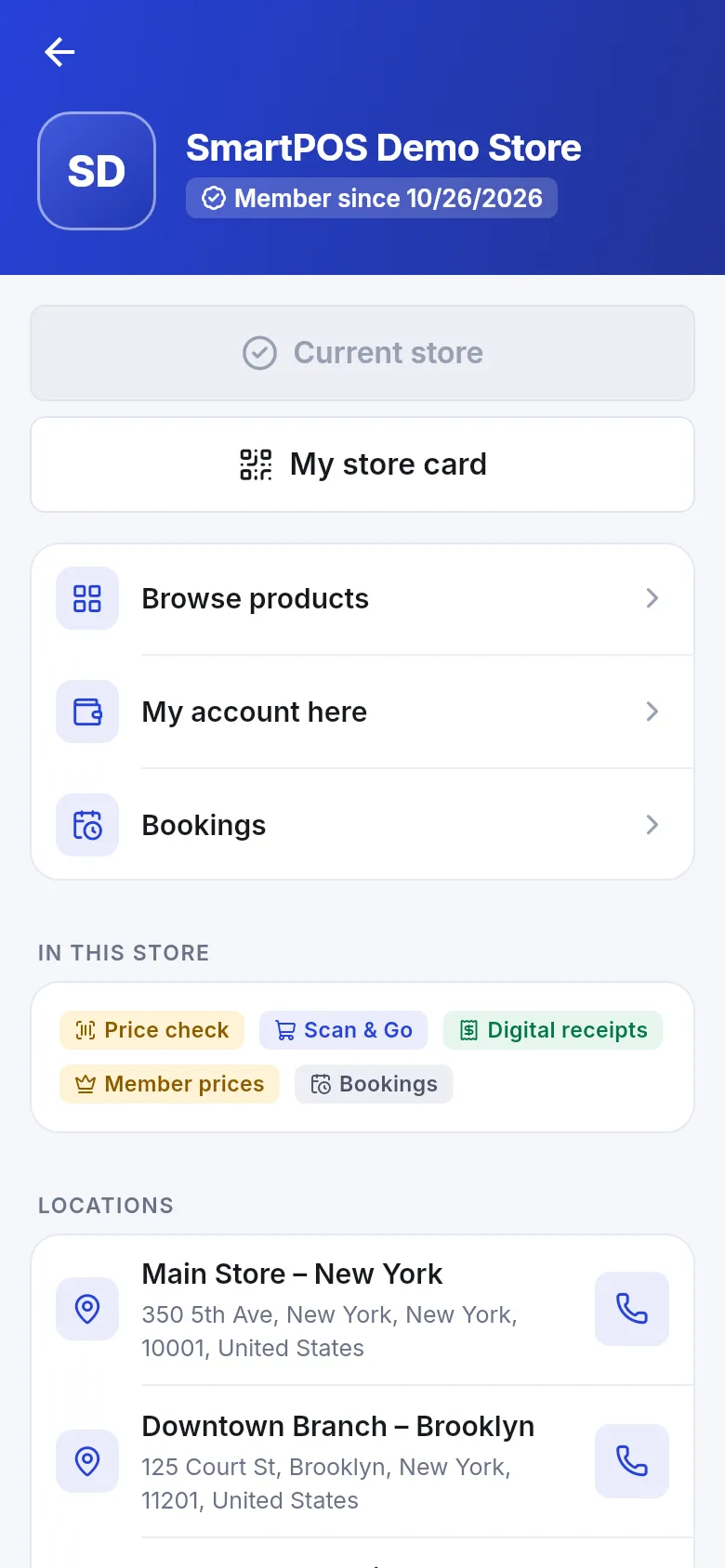
Section titled “Open your account at a store”- Open the store page: tap the store name at the top of Home, or go to Account › My stores and tap the store.
- Tap My account here. You can also tap the My account tile (Balance and points) on the store’s Home.
- The My account screen opens for that store.
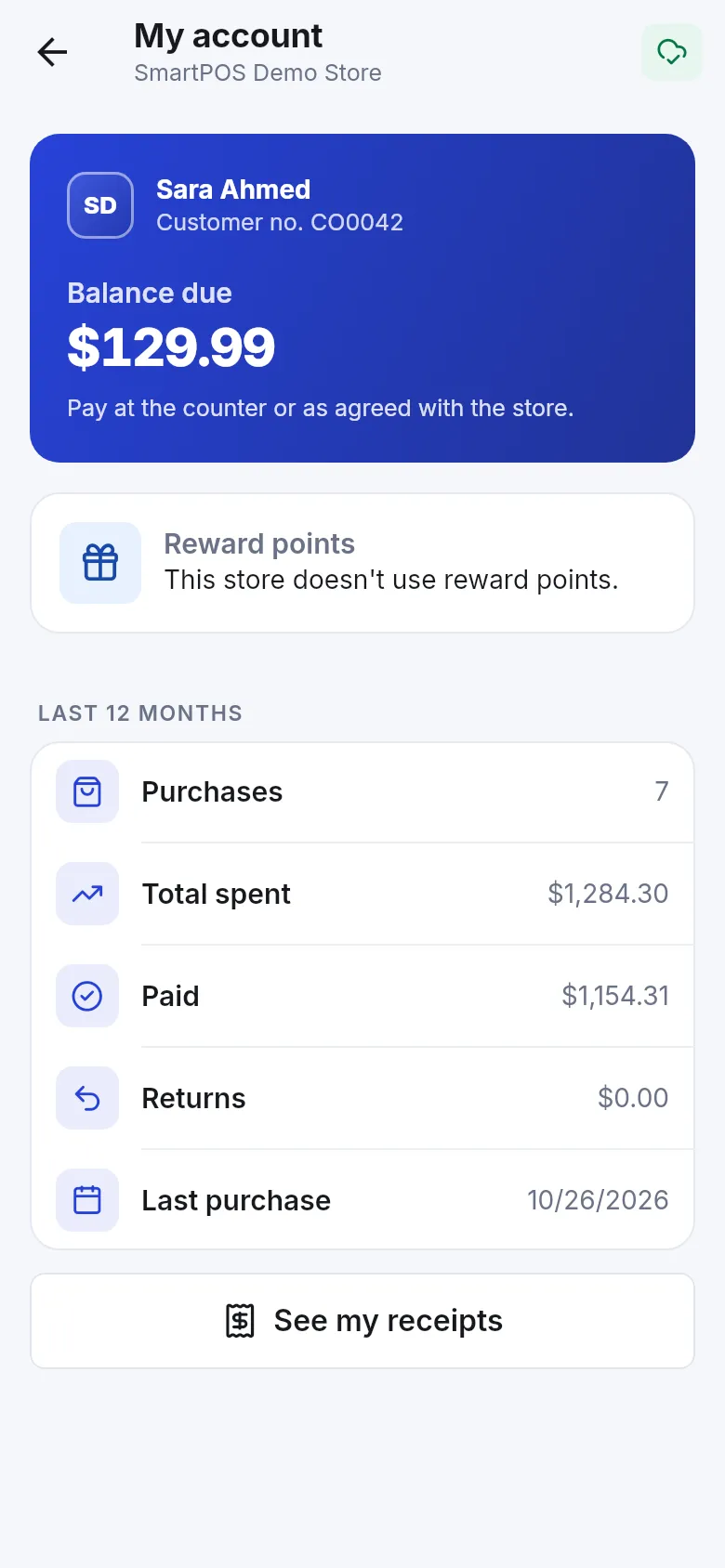
What you see on My account
Section titled “What you see on My account”| Part | What it tells you |
|---|---|
| Name and Customer no. | Your number in this store’s customer list. |
| Balance due | Money you still owe this store. With a balance the app adds “Pay at the counter or as agreed with the store.” With none: “Nothing to pay. You’re all settled.” |
| Reward points | Your points balance, or “This store doesn’t use reward points.” |
| Last 12 months | Purchases (how many), Total spent, Paid, Returns and Last purchase date. |
| See my receipts | Opens your receipts for this store. |
Paying a balance
Section titled “Paying a balance”The app shows your balance but does not take payments for it. Pay at the counter (or as you agreed with the store); the cashier records it and your balance in the app goes down. If the balance looks wrong, compare it with the receipts marked Due or Partly paid, then message the store.
Waiting for approval
Section titled “Waiting for approval”If the store approves new members first, My account shows Waiting for approval — “Your account at this store opens as soon as the store approves your membership.” A cashier who may add customers can approve you when they scan your store card.
- Points and balances never move between stores. See using several stores.
- Store credit and gift cards are in your Wallet, not on this screen — see store credit and gift cards.
- Pull down on the screen to refresh after you paid at the counter.
Frequently asked questions
Section titled “Frequently asked questions”What is "Balance due" in My account?
It is the money you still owe that store, for example from a purchase you agreed to pay later or paid only in part. When nothing is open the app says Nothing to pay. You're all settled. Each store keeps its own balance.
Can I pay my balance due in the app?
No. The app shows the balance so you always know where you stand, but you settle it with the store — at the counter or as agreed with the store. The cashier records the payment and your balance updates in the app.
Can I buy on credit or pay later with the app?
Only if the store agrees. Paying later is decided by the cashier at the counter, not in the app. When the store lets you pay part now and the rest later, the open amount appears as your balance due and on the receipt as Still to pay.
How do I see my reward points?
Open the store, tap My account here and look at Reward points. If the store doesn't run a points program, the app says so. Points earned and used on a purchase also show on each receipt.
Why can't I open My account here yet?
This store approves new members first. Your account opens as soon as the store approves you, either from their back office or when a cashier scans your store card. Until then you see shelf prices and no balance.
What is my customer number for?
It is your number in that store's customer list. You can tell it to staff if they need to find you. Each store gives you its own number because each membership is separate.