

Your cart - one cart for shopping and Scan & Go
SmartPOS Shopper gives you one cart per store. Whatever you add from the Shop tab and whatever you scan with Scan & Go ends up in the same cart. From there you either check out and order in the app, or tap I’m at the counter and pay the cashier. This page explains your cart, its totals and its buttons.
Where is my cart?
Section titled “Where is my cart?”Tap Cart in the bottom bar. A small number on the Cart icon shows how many items are in it. On the Home and Shop tabs, the blue bar at the bottom (View cart) shows the item count and running total; tap it to open the cart.
The store name at the top tells you whose cart you are looking at. Tap it to switch to another store’s cart.
What can I do in the cart?
Section titled “What can I do in the cart?”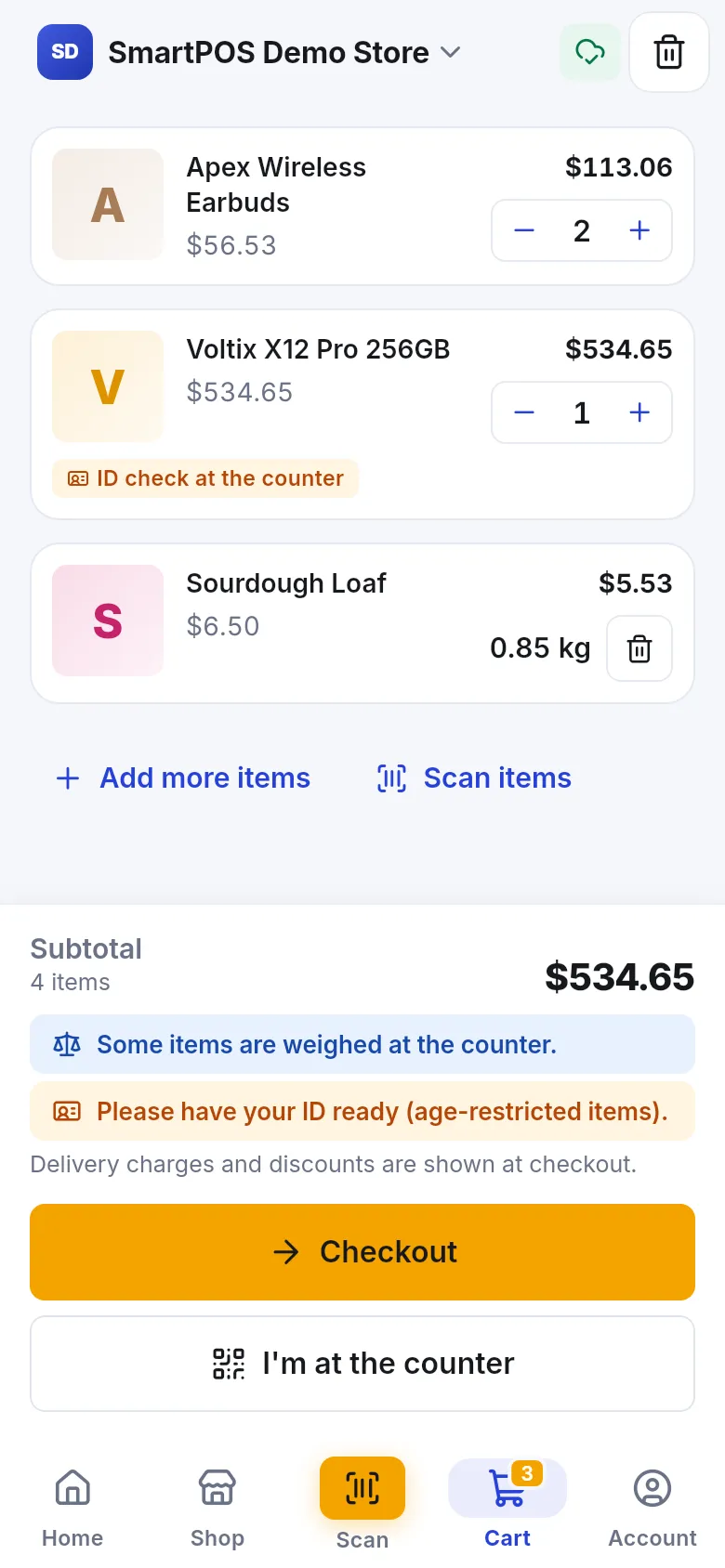
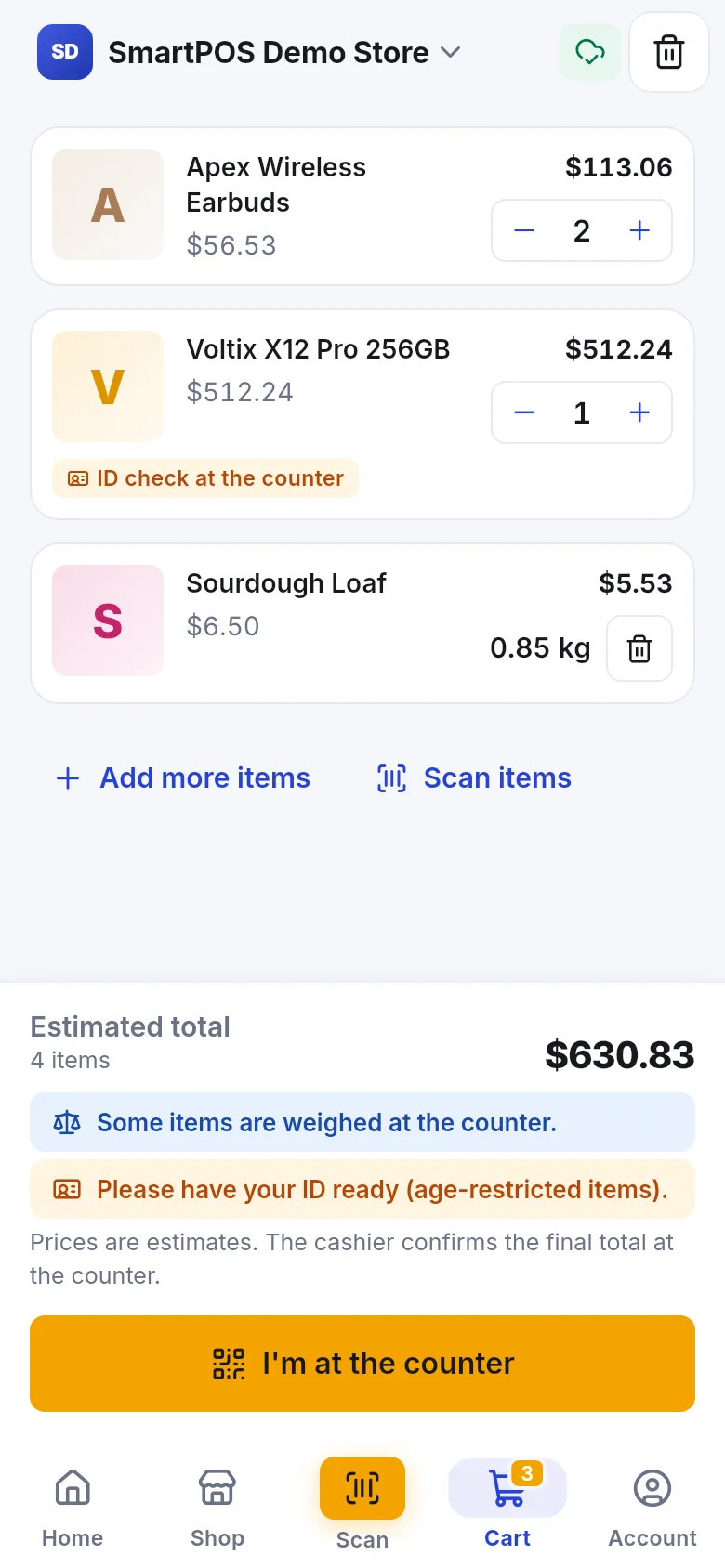
- Change quantities with − and + on each line. Weighed items show their weight (for example 0.85 kg) and a bin button instead.
- Remove an item by lowering it to zero or tapping the bin. A message such as “Sourdough Loaf removed” appears with Undo if you change your mind.
- Change options with Edit options or Edit details under the item. See options and extras.
- Add more items opens the store’s products; Scan items opens the scanner.
- Empty the whole cart with the bin button at the top. The app asks Empty your cart? first.
- Goes well with your cart: suggestions from the store based on what is in your cart. Tap + to add one.
What do the totals and notes mean?
Section titled “What do the totals and notes mean?”| You see | Meaning |
|---|---|
| Estimated total | The total you can expect to pay at the counter. The cashier confirms the final total. |
| Subtotal | Total of the items before delivery charges and discounts, which are shown at checkout. |
| Some items are weighed at the counter. | One or more items are priced by weight at the till. |
| Please have your ID ready (age-restricted items). | The cashier must check your age for an item in your cart. |
| Updating prices… | The app is fetching the latest prices from the store. |
| A line marked Out of stock or Not sold here | That product can’t be bought now. Remove it to continue. |
If items are not available, the app tells you Some items are out of stock or no longer sold here. Remove them to continue.
Checkout or I’m at the counter?
Section titled “Checkout or I’m at the counter?”What buttons you see depends on what the store offers:
| Button | When to use it | Next step |
|---|---|---|
| Checkout | The store takes orders in the app and you want pickup, delivery or dine-in. | Place an order |
| I’m at the counter | You are in the store with your items and want to pay the cashier. | Check out with your cart code |
If the store has neither ordering nor Scan & Go, you see Scan & Go isn’t on in this store. You can still check prices and get your receipts in the app.
Empty cart
Section titled “Empty cart”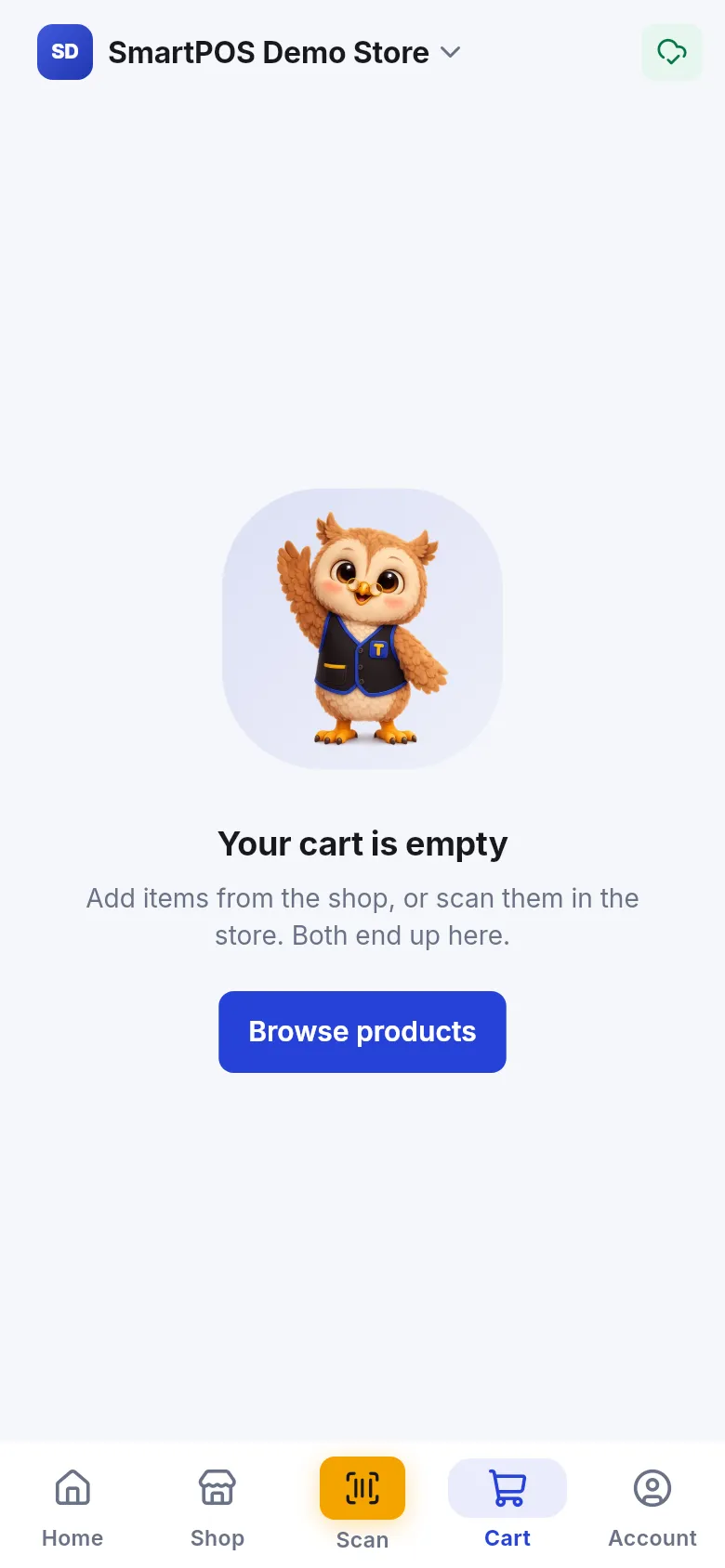
An empty cart says Your cart is empty and offers Browse products or Scan items. If you are not a member of the store yet, you see Join this store to fill a cart. Follow join a store first.
Tips and mistakes to avoid
Section titled “Tips and mistakes to avoid”- One cart per store. Carts are never shared between stores. Check the store name before you add items.
- Offline? You can keep scanning and adding. The cart is saved on your phone and syncs when you are back online.
- Items removed by themselves? If the store stops selling an item in the app, it is removed and you see Some items aren’t sold here in the app and were removed.
- Leaving a store removes your cart there. See use several stores.
Frequently asked questions
Section titled “Frequently asked questions”Do I have a separate cart for Scan & Go?
No. Each store has one cart. Products you add from the Shop tab and items you scan with Scan & Go land in the same cart, and you choose at the end whether to check out in the app or show your cart at the counter.
Why did the quantity go up instead of adding a new line?
When you add the same product with the same options again, the app adds the quantities together on one line. A different size or different extras makes a new line.
Is my cart saved if I close the app?
Yes. The cart is saved on your phone and, when you are online, with your account at that store. If you go offline the app shows "Saved on this phone. It syncs as soon as you're online."
Why is the total called an estimate?
The cashier's till calculates the final price, including weighed items, offers and taxes. The app shows "Estimated total" when you pay at the counter, so small differences are possible.
Can I have carts in several stores at once?
Yes. Each store you joined has its own cart. Switch store at the top of the screen to see that store's cart.
What happens to my cart if I leave a store?
It is removed. Leaving a store deletes your cart there, but your past receipts stay with the store.
Why does the app say I must remove some items to continue?
Some lines are out of stock or no longer sold in the app at this store. Remove them (swipe or tap the bin) and you can check out again.