

Check a price with your phone camera
Price check in SmartPOS Shopper turns your phone camera into a price scanner. Scan any barcode on a product or shelf label in a store you joined, and the app shows the product, its photo, your price (including member prices and offers) and whether it is in stock. This page explains how to check a price and what the result means.
Before you start
Section titled “Before you start”- Sign in and join the store. Price check uses that store’s own products and prices.
- Make sure the right store is selected at the top of the screen. In several stores? Tap the name to switch.
- The first time, allow the app to use your camera when your phone asks.
How do I check a price?
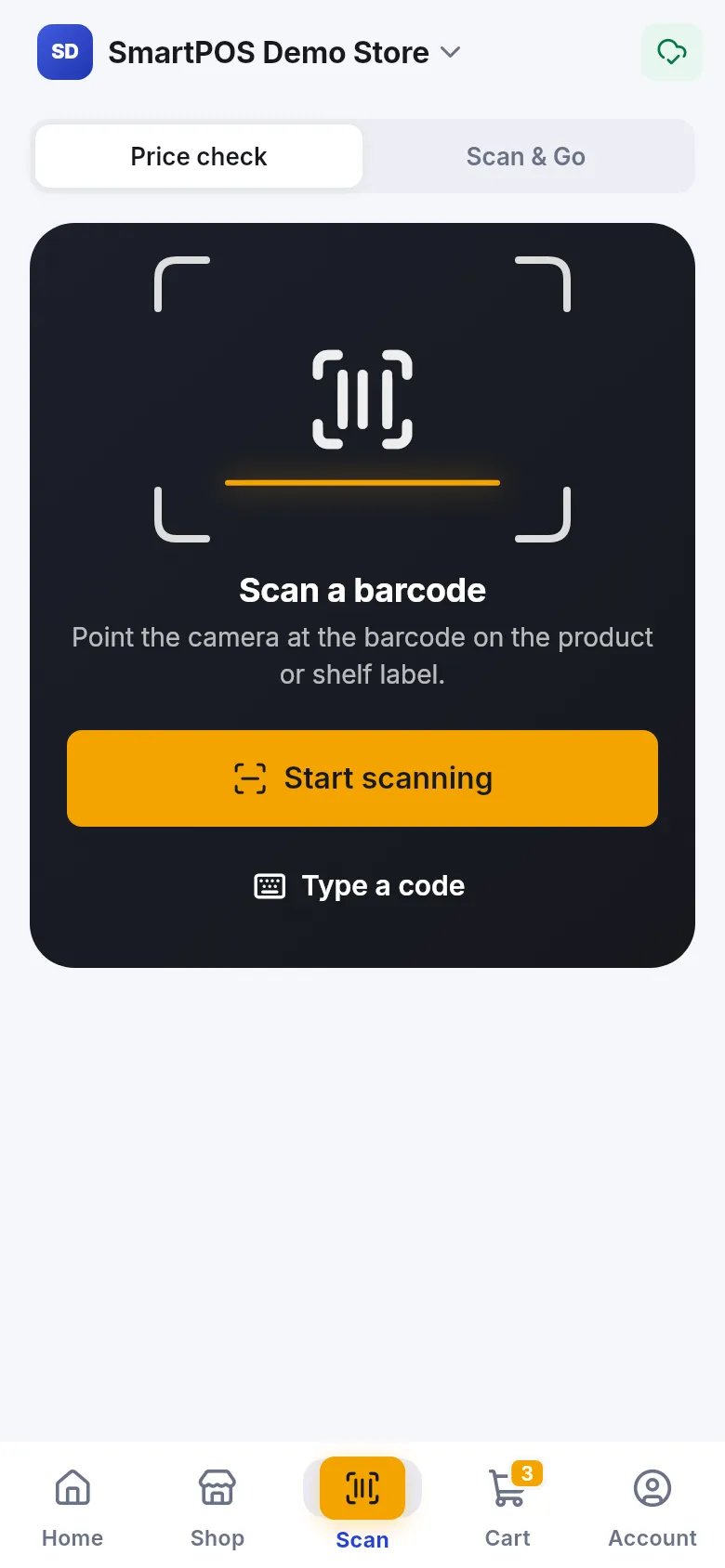
Section titled “How do I check a price?”- Tap Scan in the bottom bar (or the Price check tile on Home, “Scan any barcode”).
- At the top, make sure Price check is selected (not Scan & Go).
- Tap Start scanning and point the camera at the barcode on the product or shelf label.
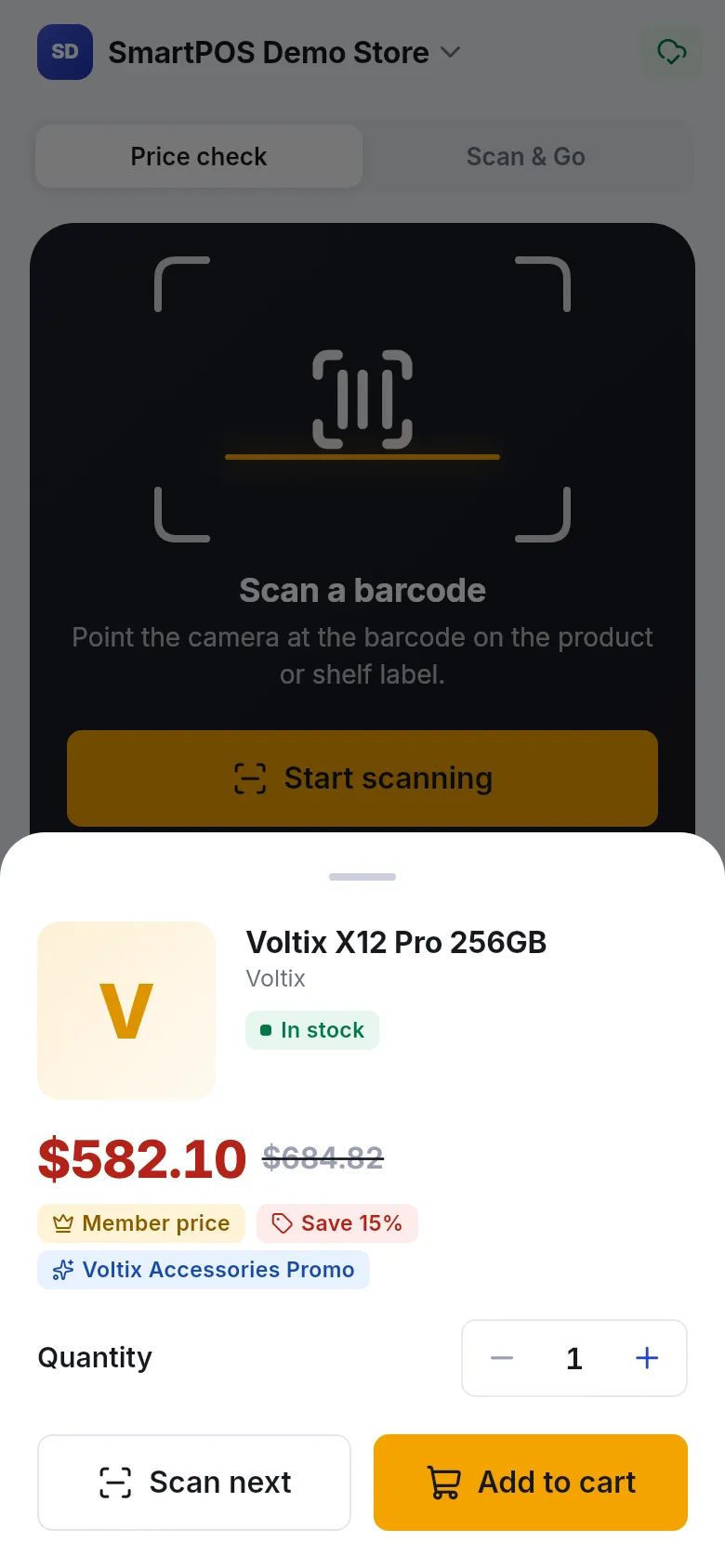
- The result sheet opens over the camera with the product details.
- Tap Scan next to check another item, or close the sheet when you are done.
How do I type a barcode instead?
Section titled “How do I type a barcode instead?”If the barcode is damaged or the camera struggles, tap Type a code. Enter the barcode or product code under Barcode or product code and tap Check price. While the app looks it up you see Checking price….
What does the result show?
Section titled “What does the result show?”- Photo, name and brand of the product (the photo of the exact variant, where the store added one).
- Stock: In stock, or Out of stock here. Ask a member of staff.
- Price: your price in large type. A crossed-out price is the shelf price; Member price means your member discount is applied, and Save shows the percentage.
- Offers: the name of any promotion that applies.
- Counter notes: Weighed at the counter or an ID check for age-restricted items.
If you are not approved as a member yet, you see Members may pay less once the store approves your membership. Your price may drop once the store approves you.
What if the product isn’t found?
Section titled “What if the product isn’t found?”You see Not found in this store and “This code isn’t in the store’s app catalogue. Ask a member of staff.” This usually means:
- the product is not sold in the app at this store, or
- you have a different store selected.
If the app cannot reach the store, it says Couldn’t check this code. Try again.
Recently checked items
Section titled “Recently checked items”The Scan tab keeps a short list under Recently checked, so you can compare prices as you walk around. Tap Clear to empty the list. Without internet, an item you checked before shows Last known price with the time it was saved.
- Want to buy as you scan? Switch to Scan & Go at the top of the Scan tab: every scan then goes into your cart. See Scan & Go.
- Shelf labels work too. Many shelf labels carry the same barcode as the product.
- Hold steady and close. A sharp barcode in good light scans in under a second; your phone beeps when it reads one.
Frequently asked questions
Section titled “Frequently asked questions”Do I need to join the store to check prices?
Yes. Sign in and join the store first; the app checks the barcode against that store's own products and prices. Guests see "Sign in and join a store to check prices with your phone."
Why does it say "Not found in this store"?
The barcode is not in this store's app catalog, or you are looking at a different store. Check the store name at the top of the screen, or ask a member of staff.
The camera won't read the barcode. What can I do?
Tap Type a code and enter the numbers printed under the barcode, then tap Check price. Good light and holding the phone steady about a hand's width from the label also help.
Is the scanned price what I will pay?
It is the store's current price for you, including your member price. The till still calculates the final total, so weighed items, offers and taxes are settled at the counter.
Does price check add the item to my cart?
Only if you tap Add to cart on the result. Otherwise it just shows you the price.
Can I check prices without internet?
Partly. For items you checked before, the app can show the last known price with the time it was saved. New barcodes need a connection.