

Use several stores with one SmartPOS Shopper account
You can use as many stores as you like with one SmartPOS Shopper account. Each store you join is a separate membership: its own approval, member prices, cart, store card, receipts, balance and notification settings. Nothing is shared between stores. This page shows how to switch stores, read your membership status, and leave or re-join a store.
How do memberships work across stores?
Section titled “How do memberships work across stores?”| At each store separately | Shared across your account | |
|---|---|---|
| Membership and approval | Yes | – |
| Member prices and reward points | Yes | – |
| Cart and Scan & Go | Yes | – |
| Store card | Yes, works only at that store | – |
| Store credit and gift cards | Yes | Listed together in Wallet |
| Receipts and orders | Yes | Listed together in Receipts and My orders |
| Notification choices | Yes, if you choose per store | Your defaults for all stores |
| Name, e-mail, phone, language | – | Yes, your profile |
Stores never see each other’s information about you. A store sees only your membership and what you bought there.
How do I switch between stores?
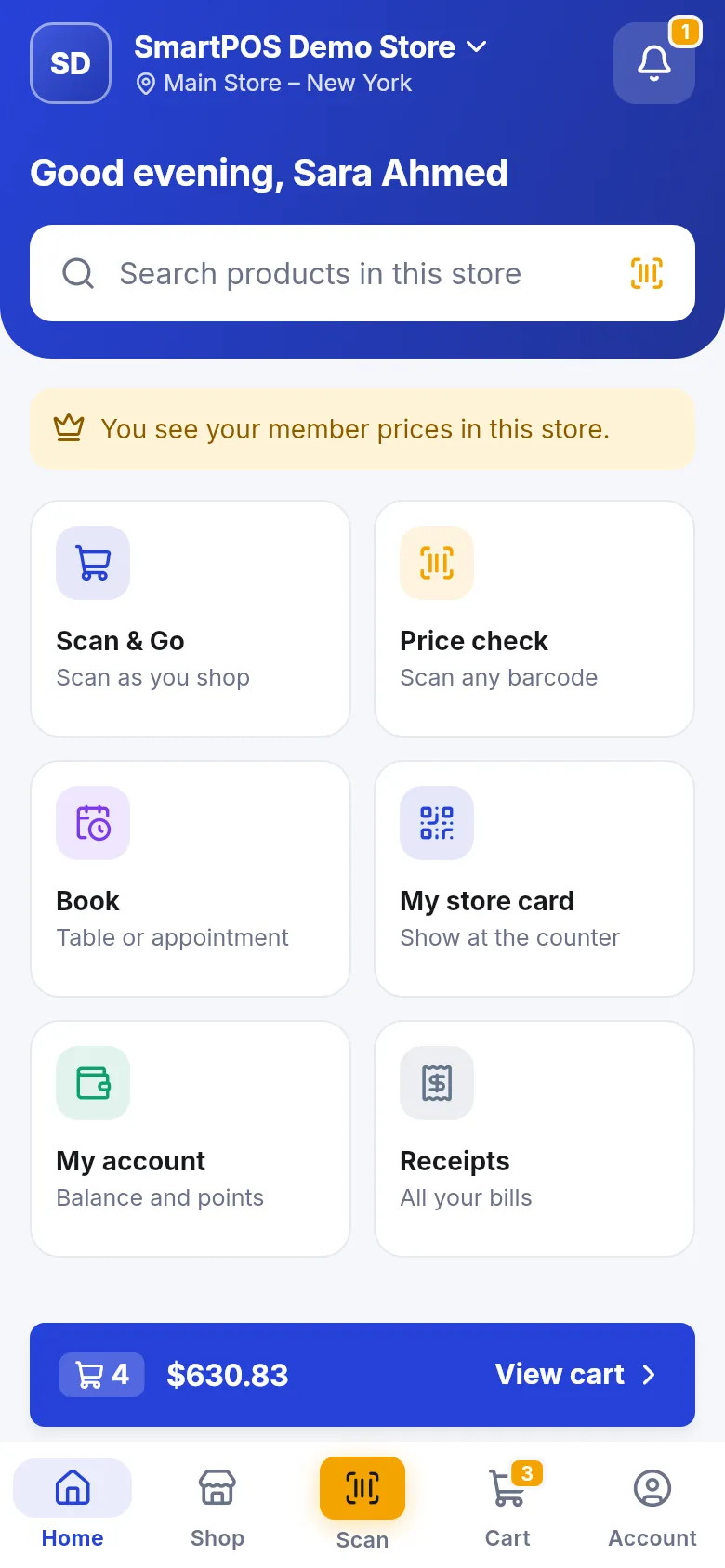
Section titled “How do I switch between stores?”- On Home or Shop, tap the store name at the top.
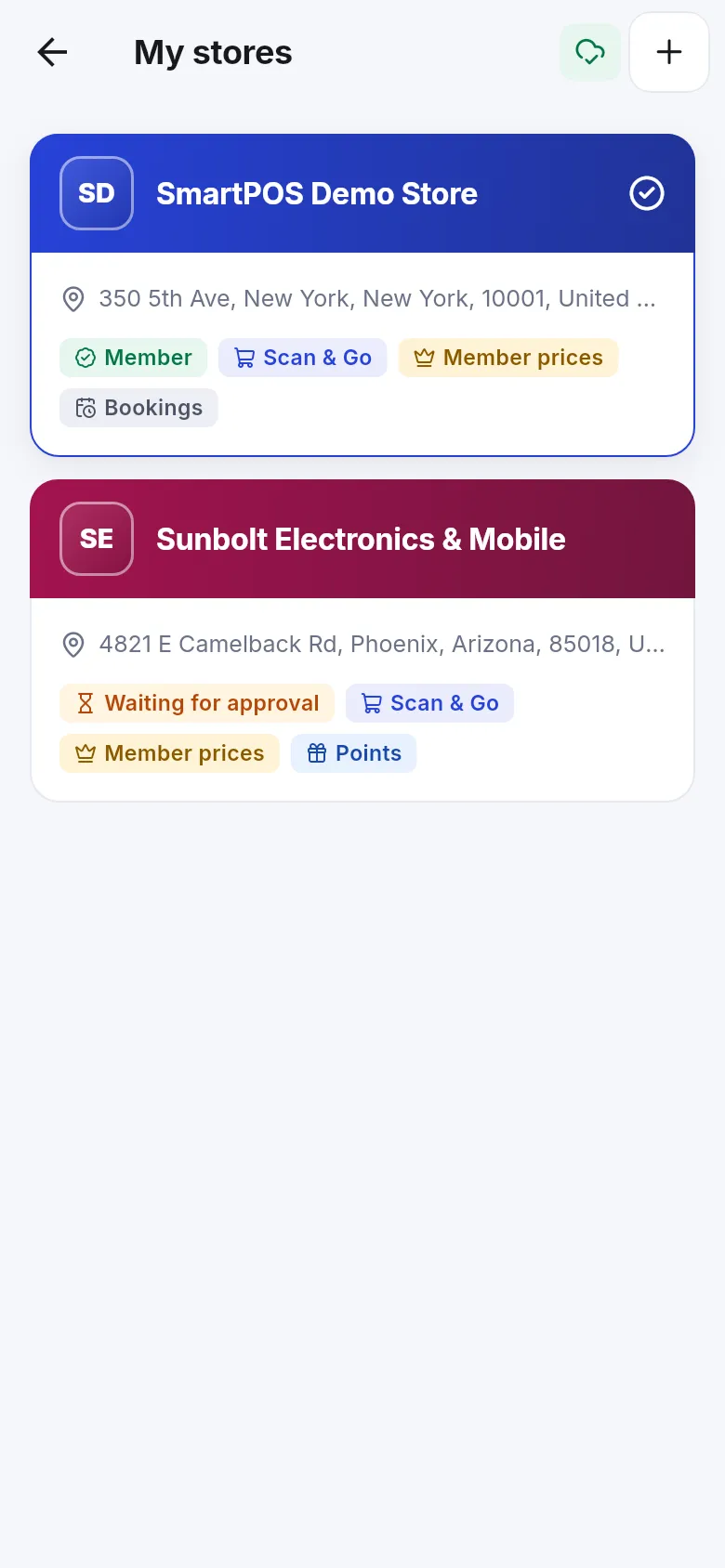
- Your stores opens with every store you joined.
- Tap the store you want. Home, Shop, Scan and Cart now show that store.
You can also go to Account › My stores, open a store page and tap Shop here.
What do the badges in My stores mean?
Section titled “What do the badges in My stores mean?”| Badge | Meaning |
|---|---|
| Member | You are an approved member. Member prices and your account at the store work. |
| Waiting for approval | The store approves new members first. You see shelf prices until then. |
| Feature chips (Scan & Go, Member prices, Bookings, Points) | What the store offers in the app |
| A check mark | The store you are using now (your current store) |
If a store didn’t accept your membership, the app says This store didn’t approve your membership. If a store has switched the app off, it says This store isn’t available in the app right now.
What about stores with several locations?
Section titled “What about stores with several locations?”Some stores have several branches. Each location has its own menu, stock and prices. When you order, the app may ask Choose location (“Each location has its own menu, stock and prices. Choose where you are ordering from.”). Switching location later asks Switch location? because your current order is emptied.
How do I leave a store, and can I come back?
Section titled “How do I leave a store, and can I come back?”Open the store page and tap Leave this store at the bottom. Your Scan & Go cart there is removed and open codes stop working. Your past receipts stay with the store. You can join again any time with the store’s code, and the store finds your earlier history. Step-by-step: Store page.
Frequently asked questions
Section titled “Frequently asked questions”Do I need a new account for each store?
No. One SmartPOS Shopper account works with every store you join. Each store gets its own membership inside your account.
Can one store see what I bought at another store?
No. Each store only sees your membership and purchases at that store. Your receipts from all stores are together only in your own app.
Is my cart shared between stores?
No. Every store has its own cart. When you switch store, you see that store's cart. Items stay in each cart until you check out, empty it or leave the store.
Can I use store credit or a gift card from one store at another?
No. Store credit and gift cards belong to the store that issued them. The Wallet lists them per store and you can use them only at that store.
Why do prices change when I switch location in the same store?
Each location of a store can have its own stock and prices. When you switch location the app empties your current order, because the items and prices may differ there.
If I leave a store and join again, do I lose my history?
No. Your past purchases stay with the store. When you join again with the same account, the store links you to the same customer record, so your history and balance are still there.