

Find stores near you in SmartPOS Shopper
Find stores lists the shops, restaurants and pharmacies that use SmartPOS Shopper and chose to be listed. You can search by store name, city or area, filter by country, city, category and what the store offers, show only stores that are open now, or sort them by distance with Near me. Then join a store in one tap.
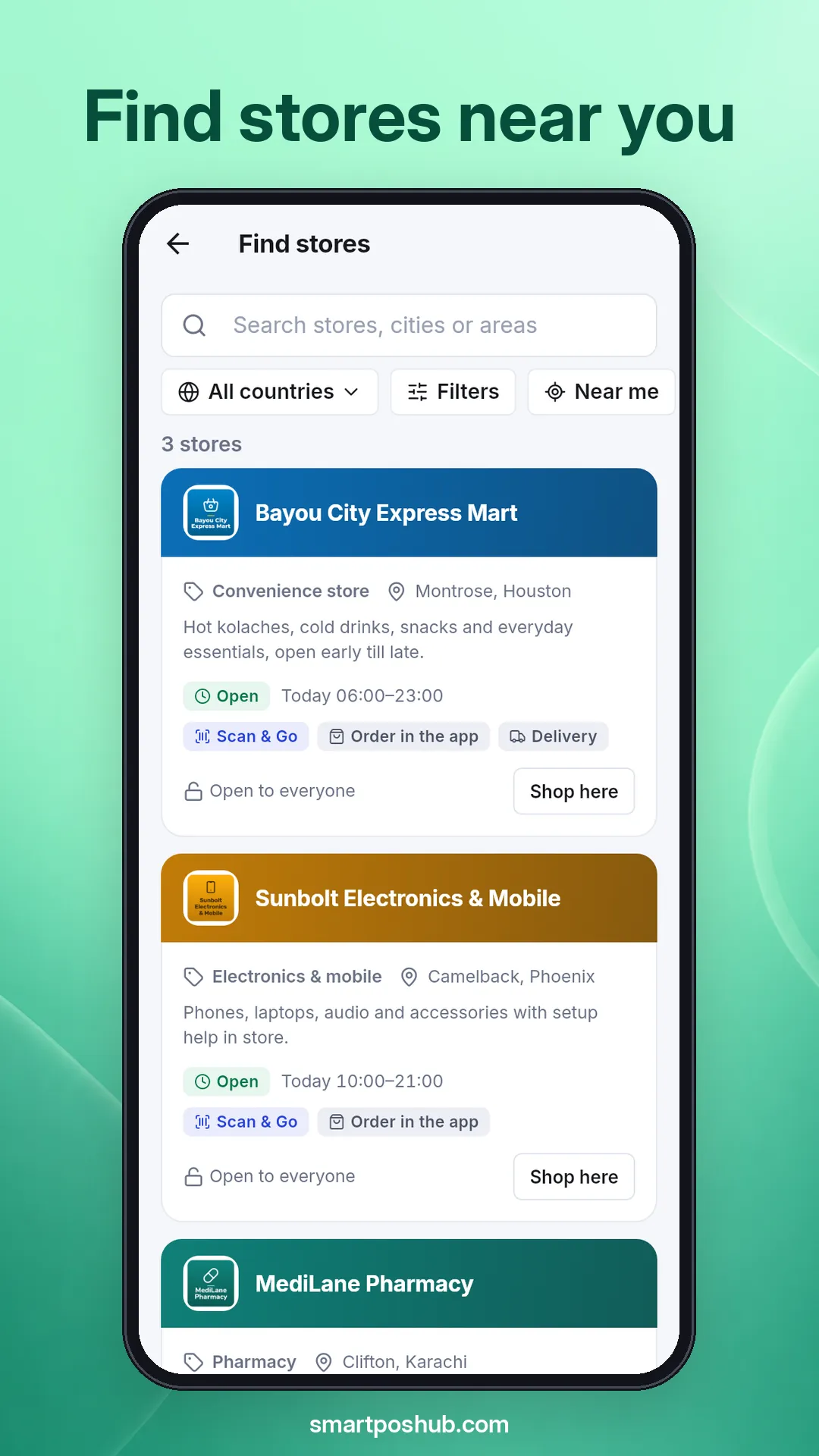
How do I open Find stores?
Section titled “How do I open Find stores?”You can reach it from several places:
- Home, before you joined a store: tap Find stores near you.
- Account › My stores › + (Add a store), then Find listed stores.
How do I search and filter stores?
Section titled “How do I search and filter stores?”- Type in Search stores, cities or areas: a store name, a city like “Lahore” or an area like “Gulberg”.
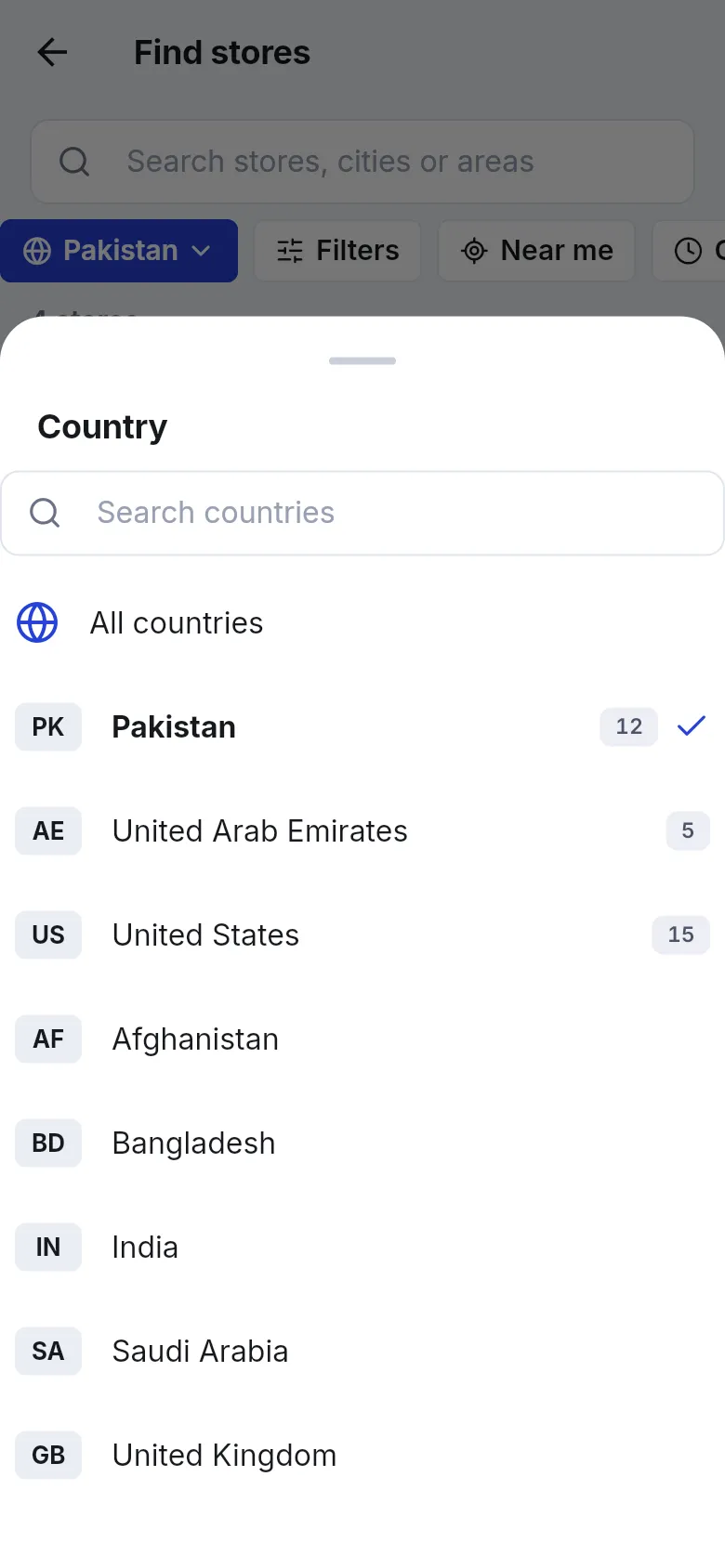
- Tap the country chip to choose a country, or All countries. The list starts with the country From your profile.
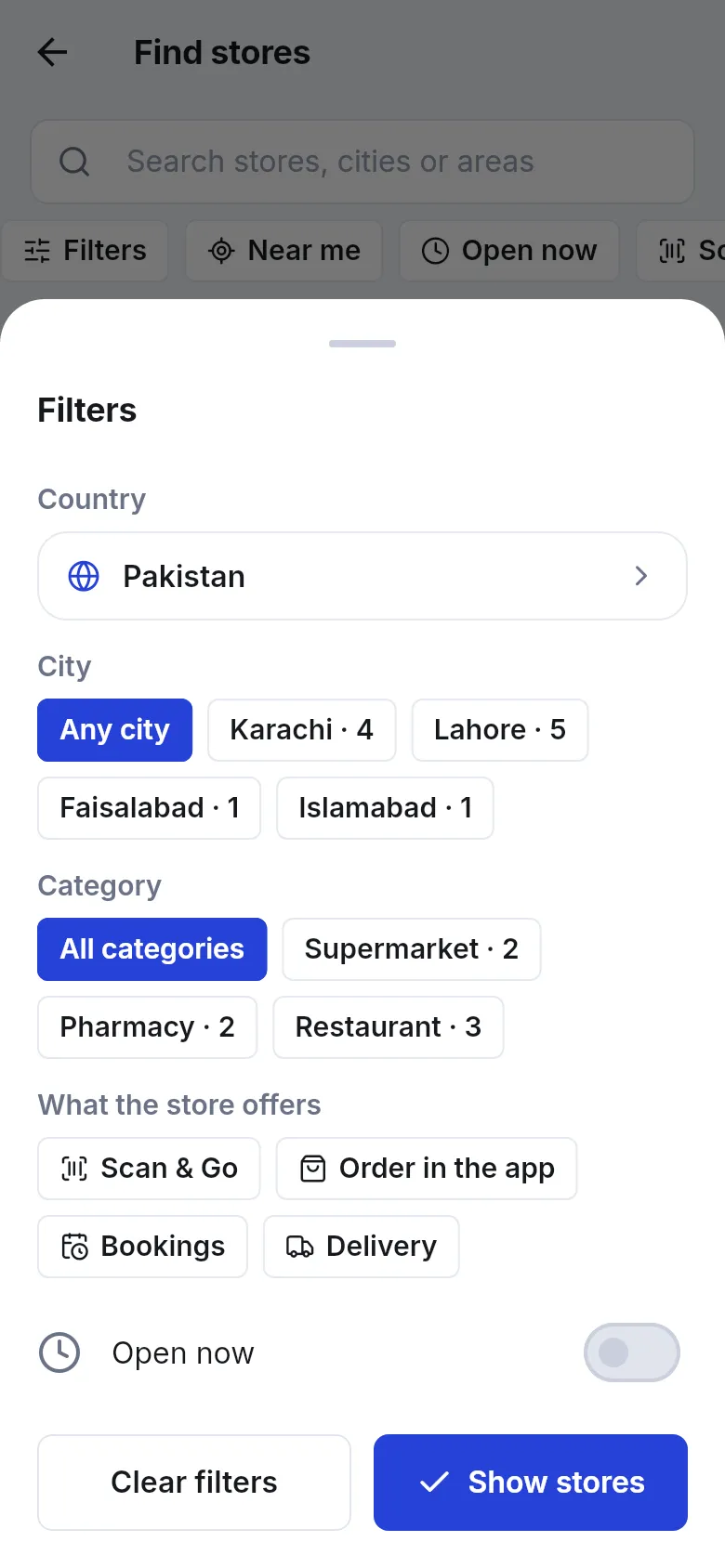
- Tap Filters to narrow the list:
- City: Any city or one city (the number shows how many stores it has).
- Category: All categories or a type such as Supermarket, Pharmacy or Restaurant.
- What the store offers: Scan & Go, Order in the app, Bookings, Delivery.
- Open now: only stores that are open at this moment.
- Tap Show stores. Tap Clear filters to start again.
How does Near me work?
Section titled “How does Near me work?”Tap Near me to sort the list by distance. Each card then shows how far away the store is, for example “2.4 km away”.
- The first time, Android asks to share your location. If you say no, the app shows Location is off or not allowed. Turn it on to see stores near you.
- The app uses your rough location for this one search only. It is rounded, not saved to your account, and not shared with stores.
What does a store card show?
Section titled “What does a store card show?”| Part of the card | Meaning |
|---|---|
| Name and logo | The store’s name and colors |
| Category and area | For example “Convenience store · Montrose, Houston” |
| Short description | What the store says about itself |
| Open / Closed and Today … | Open right now or not, and today’s hours (Closed today if it doesn’t open today) |
| Feature chips | Scan & Go, Order in the app, Delivery, Bookings |
| Open to everyone / Joining needs approval | Whether the store accepts new members at once or approves them first |
| Join store / Shop here | Join a new store, or open one you already joined |
Tap the card itself to see the store’s page with its full profile, locations and links. If you are not signed in, cards show Sign in to join this store instead of Join store.
Why is the list empty?
Section titled “Why is the list empty?”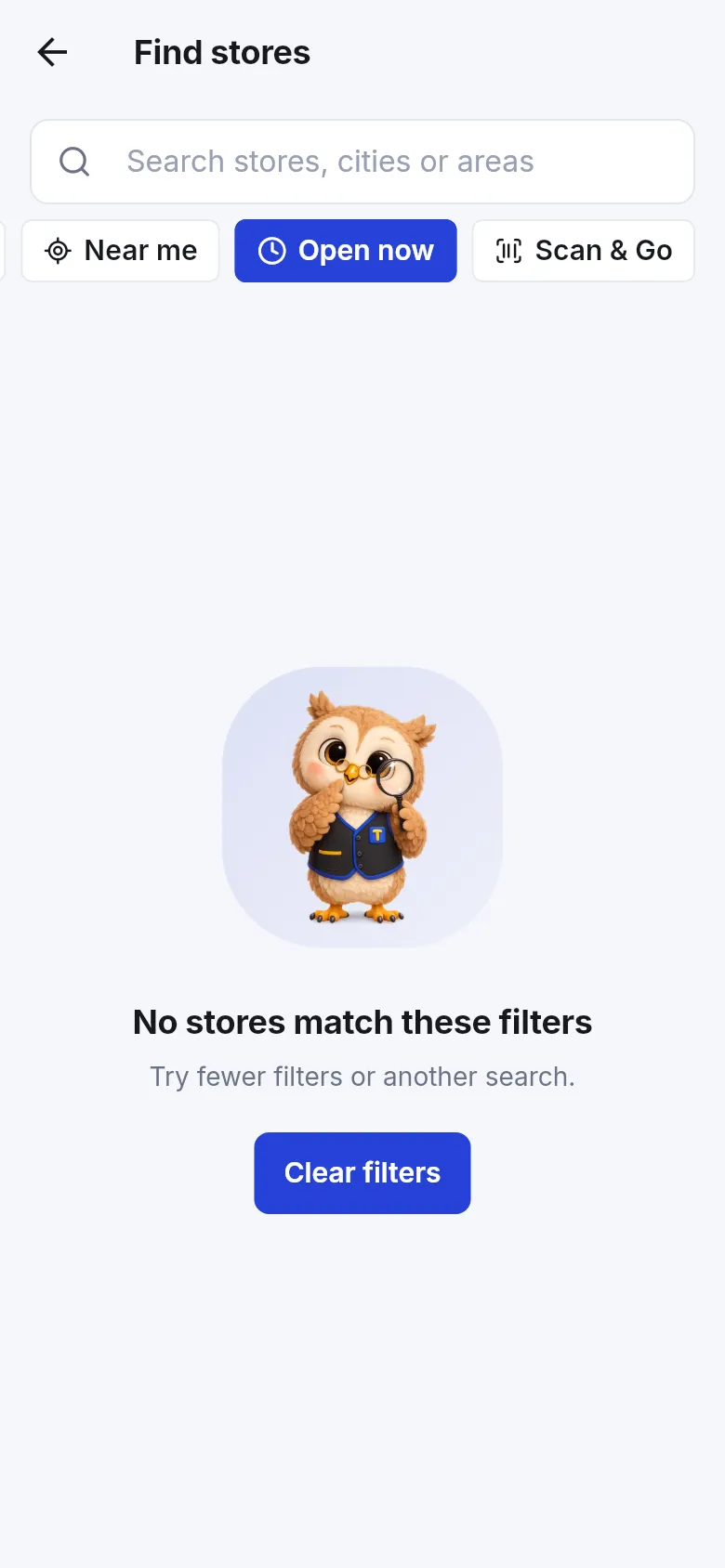
- No stores match these filters: too many filters. Clear some.
- No stores in [country] yet: tap Show all countries.
- No listed stores match your search. Many stores are private: ask at the counter for their QR poster.
- New store not there yet? Pull down to refresh the list.
Frequently asked questions
Section titled “Frequently asked questions”Why can't I find a store I know uses SmartPOS?
Many stores are private and don't list themselves in Find stores. They still work in the app. Ask at the counter for their QR poster or 6-character store code and join that way.
Does Near me track where I am?
No. Near me reads your rough location once to sort that search by distance. The location is rounded and is not saved to your account or shared with stores. Close the search and it is gone.
Why does Find stores show only one country?
It starts with the country in your profile so nearby stores come first. Tap the country chip and pick All countries, or a different country, to see more.
What does Open now do?
It hides stores that are closed at this moment according to their opening hours. Each store card also shows Open or Closed and today's hours.
A new store just opened but I don't see it. What should I do?
Pull the list down to refresh it. New listed stores appear within a minute or so. If it still isn't there, the store may not have switched on listing, so ask for its code.
What is the difference between Join store and Shop here?
Join store appears on stores you haven't joined yet and makes you a member. Shop here appears on stores you already joined and opens that store as your current store.