

Use store credit and gift cards in the app
Your SmartPOS Shopper wallet keeps the store credit and gift cards you have at each store. Use store credit from returns and your gift cards at checkout to pay for part or all of an order. This page shows how to open your wallet, add a gift card, and use store credit and gift cards when you order.
Where is my wallet?
Section titled “Where is my wallet?”Tap Account in the bottom bar, then Wallet (“Store credit and gift cards”). My wallet lists every store you joined that has credit or cards for you:
- Store credit: credit from returns, with the amount. “From returns · use it at checkout.”
- Gift cards: each card with its last four characters, its balance and its expiry date (or No expiry).
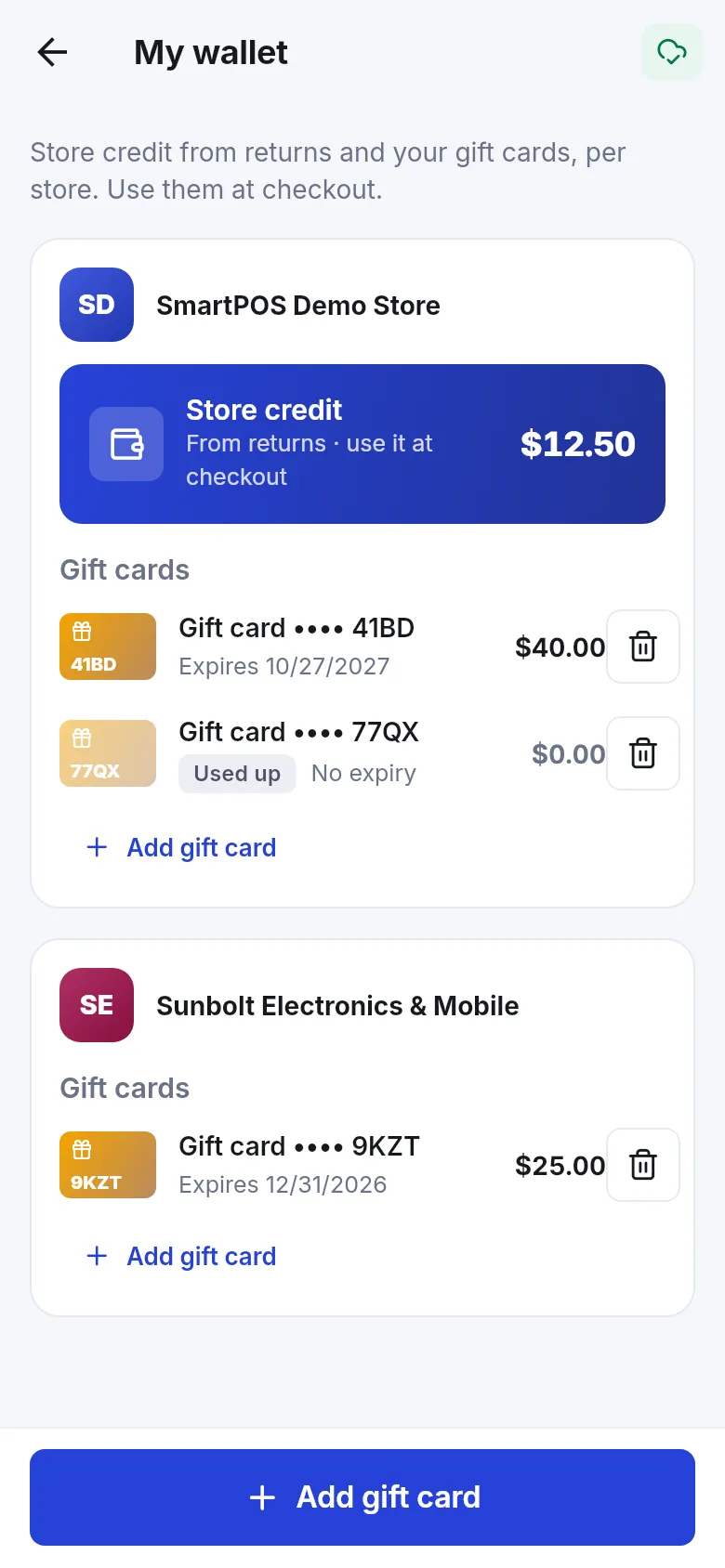
A card’s status tells you if you can still use it:
| Status | Meaning |
|---|---|
| Active | Ready to use. |
| Used up | No balance left. |
| Expired | Past its expiry date. |
| Cancelled | The store cancelled the card. |
If you have nothing yet, you see Your wallet is empty. Store credit appears by itself after a return; gift cards you add yourself.
How do I add a gift card?
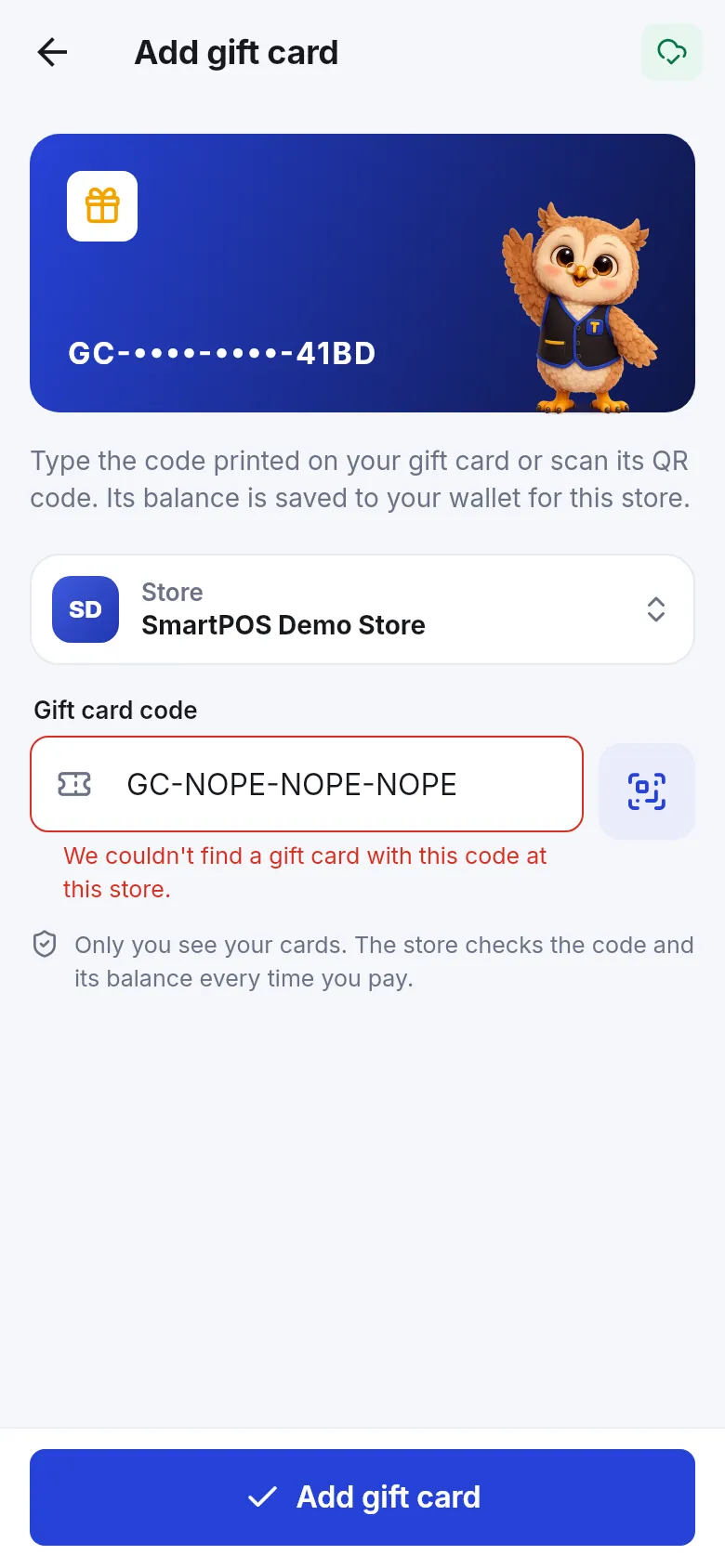
Section titled “How do I add a gift card?”- Open Account › Wallet and tap Add gift card (or Add gift card under a store).
- Under Store, choose the store that issued the card. You must be a member of that store first; otherwise you see Join a store first to add its gift cards.
- Type the code printed on the card into Gift card code, or tap the scan button (Scan gift card) and scan its QR code.
- Tap Add gift card. You see Gift card added to your wallet and the card’s balance.
How do I use store credit or a gift card at checkout?
Section titled “How do I use store credit or a gift card at checkout?”- Go to Checkout as usual (place an order).
- Find Store credit & gift cards.
- Turn on Use store credit to use the credit available (the amount shows as “available”).
- Tap Use a gift card. Pick a card From your wallet, or under Or enter a code type a new code and tap Apply. A new card is saved to your wallet for next time.
- To add one more card, tap Add another gift card.
- Each card shows how much is used and what is left after this order. Tap × to take a card off the order.
- Check To pay in the order summary, choose a payment option for the rest, and tap Place order.
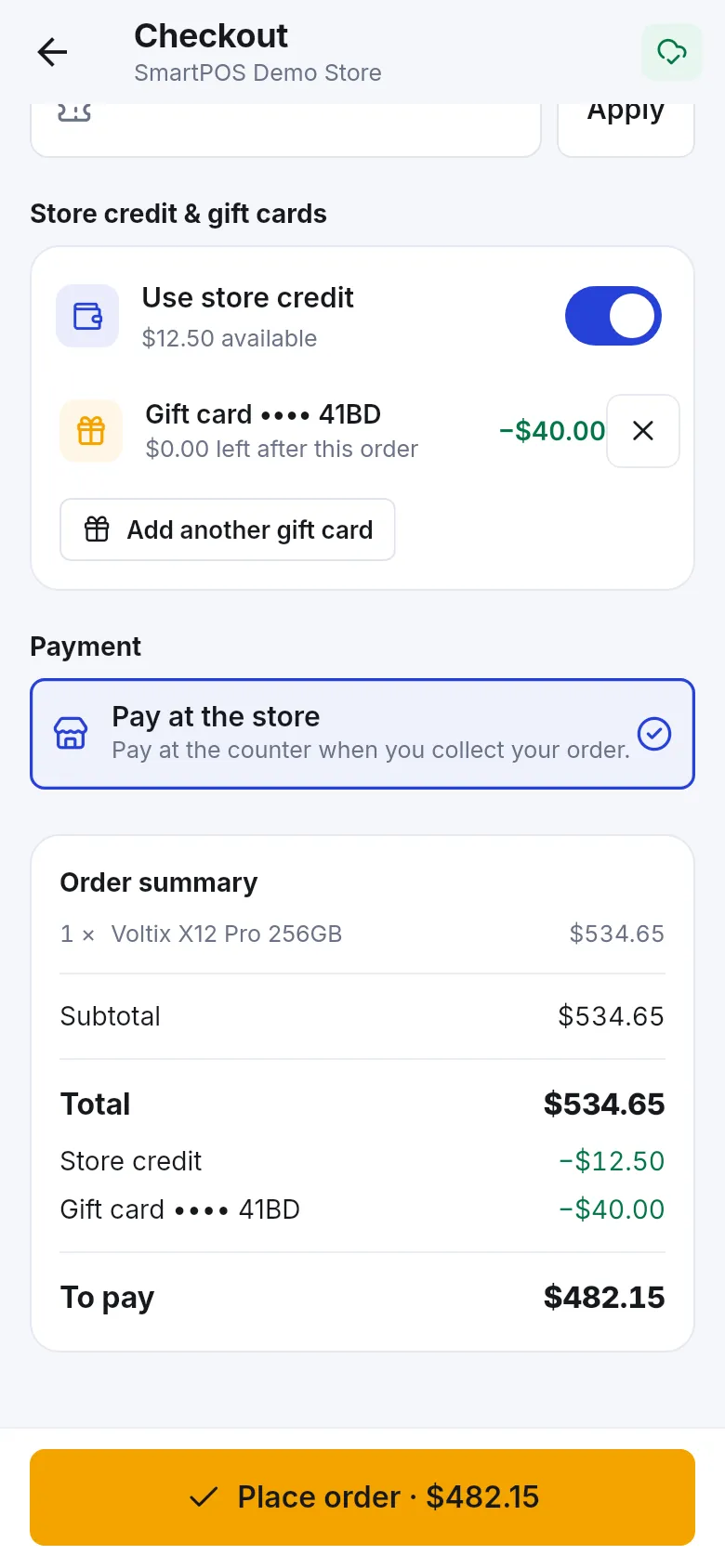
If your wallet covers everything, the app shows Paid with store credit / gift card and Your wallet covers the whole order. Nothing to pay.
Messages you might see
Section titled “Messages you might see”| Message | What it means |
|---|---|
| Enter the full gift card code. | The code is incomplete. |
| We couldn’t find a gift card with this code at this store. | Check the code and the store you picked. |
| This gift card has expired. | The card can no longer be used. |
| This gift card can’t be used: it’s used up or cancelled. | No balance, or the store cancelled it. |
| This gift card only has an amount left. | The balance is lower than you tried to use. |
| This store doesn’t accept gift cards in the app. | Use the card at the counter instead, or ask the store. |
| Your store credit can’t be used for this order. | The store doesn’t allow credit for this order. |
| Too many tries. Wait a minute and try again. | Wait a moment before trying another code. |
| You’re offline. Connect to the internet and try again. | Adding and checking cards needs internet. |
How do I remove a gift card?
Section titled “How do I remove a gift card?”Tap the bin next to a card and confirm Remove. The app explains: “It stays valid at the store. You can add it again with its code.” You see Gift card removed.
Frequently asked questions
Section titled “Frequently asked questions”Where does store credit come from?
From returns. When you return something and the store gives you credit instead of cash, that credit is saved to your account at the store and shows in your wallet.
Can I use a gift card from one store in another store?
No. Gift cards and store credit belong to the store that issued them. Your wallet groups them per store.
Is my gift card safe in the app?
Yes. Only you see the cards in your wallet. The store checks the code and its balance every time you pay, so the balance is always current.
What happens if I remove a gift card from my wallet?
It only disappears from the app. The card stays valid at the store and you can add it again with its code.
Why does the app say my store credit can't be used?
The store does not allow store credit for this order, for example with some payment options. You see "Your store credit can't be used for this order." Pay the full amount another way, or ask the store.
Can a gift card pay for the whole order?
Yes, if its balance is high enough. Then the app shows "Your wallet covers the whole order. Nothing to pay." If the balance is too low, the rest is paid with the payment option you choose.
Why can't I add my gift card?
Check that you chose the right store and typed the full code. The app tells you if the card is not found, expired, used up or cancelled, or if the store doesn't accept gift cards in the app.